
Teach your AI how to play 5e.
Right rules, sound mechanics, and ideas that surprise you.
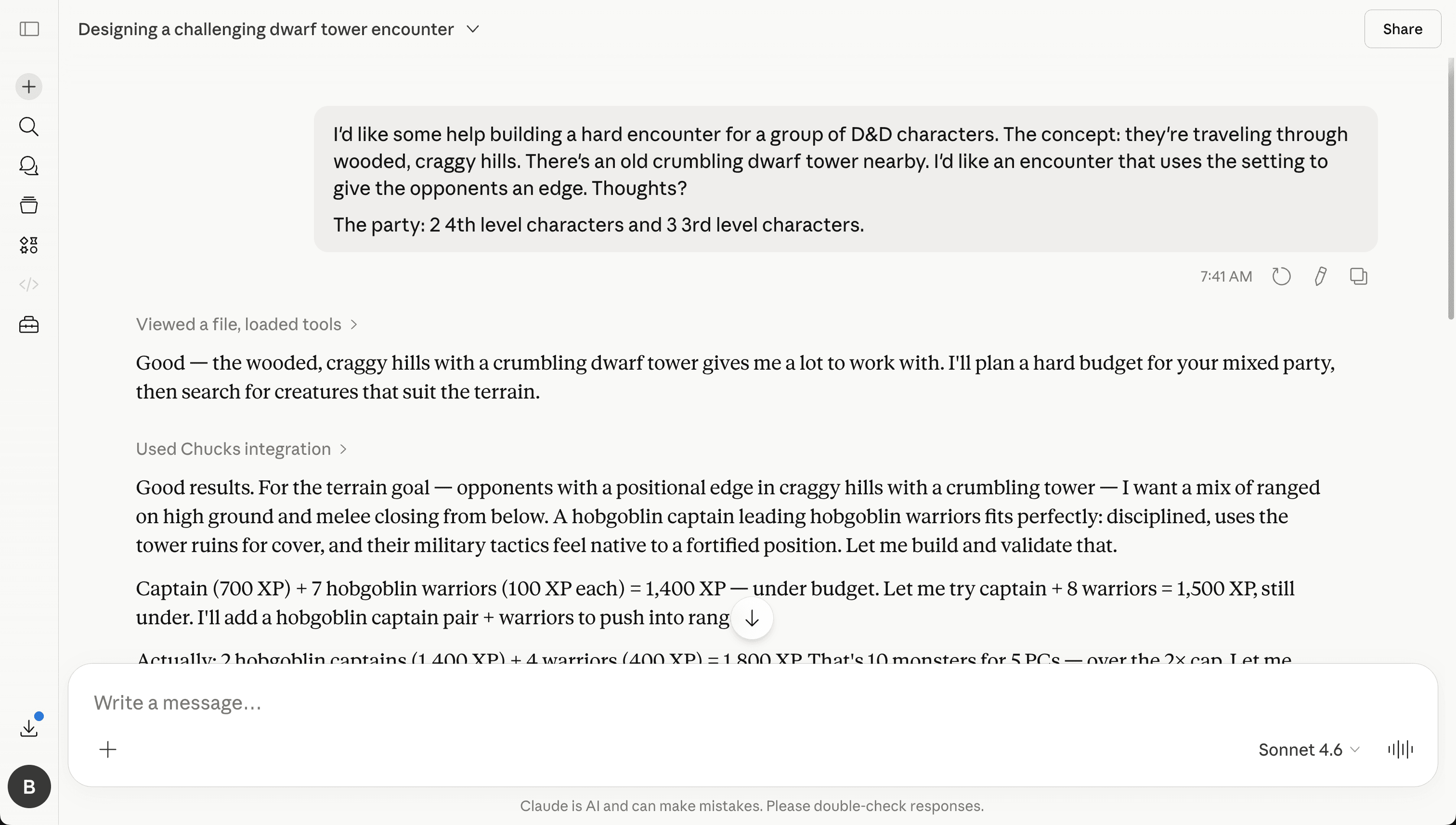
Three things your AI keeps getting wrong.
Chucks fixes all of them.
Your everyday AI chatbot
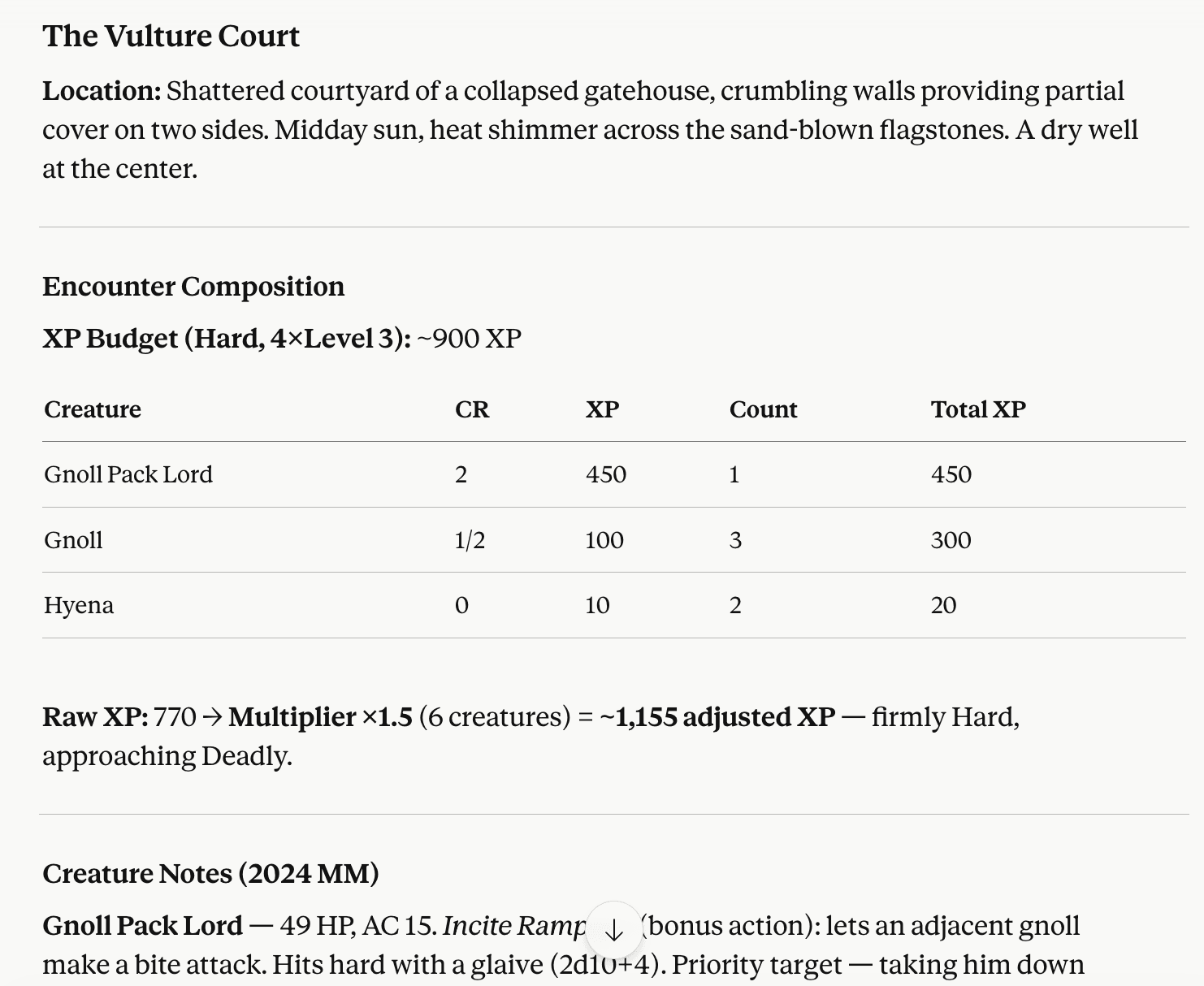
Wrong monsters.
“Gnoll” isn't in the 2024 SRD. The closest equivalent is “Gnoll Warrior.”
Wrong math.
Raw XP totals are off before the multiplier even gets applied. Then it uses the ×1.5 adjustment the 2024 rules retired.
“Firmly Hard, approaching Deadly.”
It's a low-to-moderate encounter. The AI is confidently wrong.
With Chucks
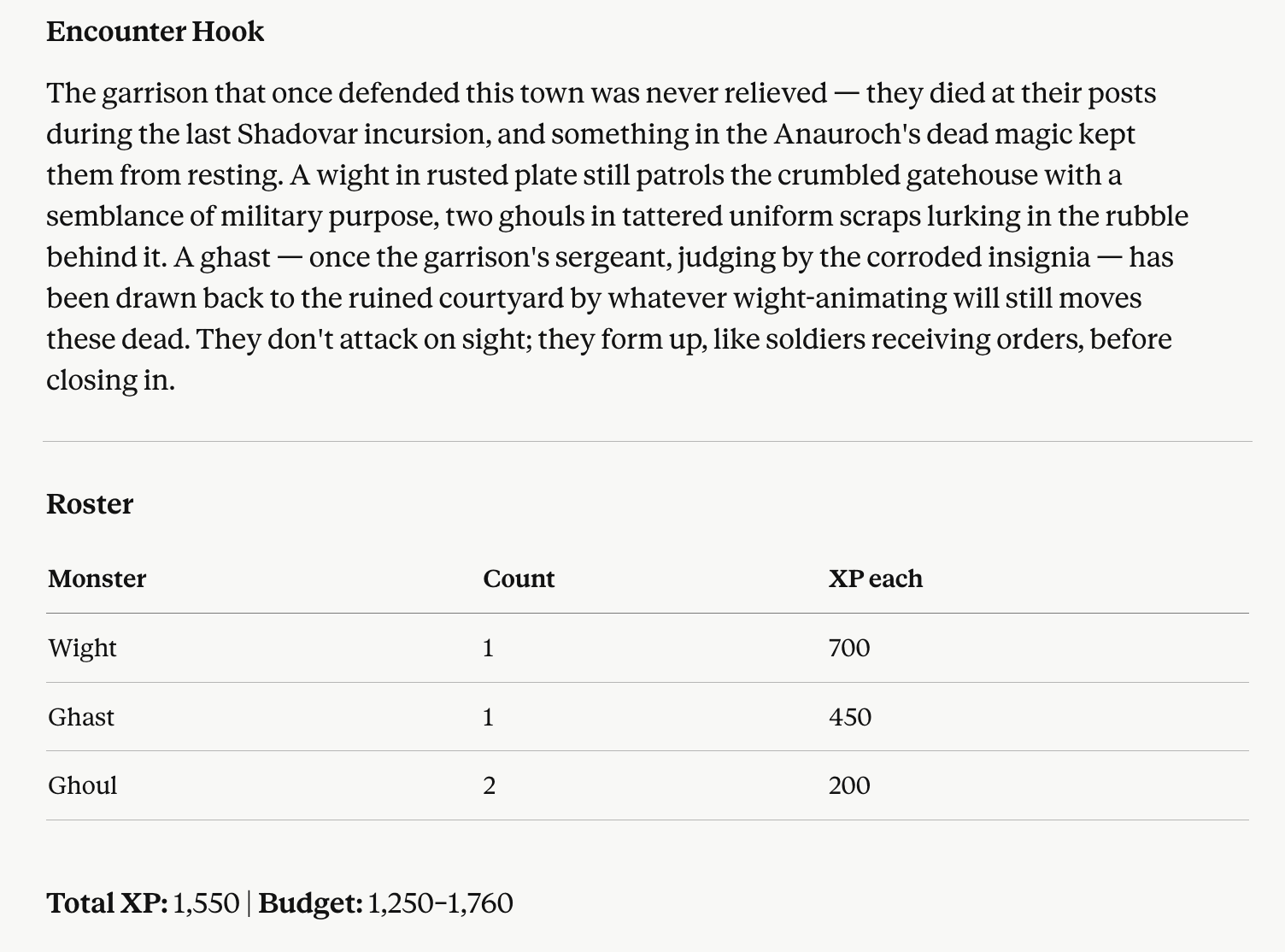
2024 SRD monsters.
Every creature exists and uses its current name.
Correct XP math.
Budget computed from the 2024 encounter-building tables. No retired multipliers.
Validated difficulty.
XP total checked against the budget range before delivery.
What you can do with Chucks
From a quick rules question to a complete encounter, give your AI something better than memory.
Search the rules
Find the current SRD answer without blending in rules from older editions.
Look up monsters
Pull real monster names, descriptions, and stat blocks instead of trusting the AI's memory.
Build balanced encounters
Tell Chucks about your party and how hard the fight should be. It uses the 2024 rules and real monsters, then makes sure the numbers add up.
Roll a random encounter
Tell Chucks where the party is and how tough the fight should be. It'll roll up an encounter, set the scene, and give the monsters a reason to be there.
How people use Chucks
From preparing tonight's game to exploring entirely new ways to play.
For Game Masters
Prepare your game
Check the rules, find the right monsters, and build balanced encounters before everyone sits down at the table.
For Game Masters
Run your game
Get a reliable answer or an unexpected encounter when the players take the adventure off the beaten path.
An emerging use case
Experiment with an AI Game Master
Some users have taken Chucks even further, adapting it to help an AI run their games. It isn't a complete AI Game Master out of the box—but it can become part of one.
Chucks includes ready-made workflows, and its individual capabilities can be combined in custom skills. It gives your AI reliable building blocks without deciding how you have to play.
Pick how you run Chucks
Use Claude, ChatGPT desktop, our hosted chat, or another compatible AI.
Frequently asked questions
Can't find the answer you're looking for? Reach out to support.
- Is Chucks free?
Yes. Chucks is free: no subscription, no paid tier, and no Chucks markup.
If you install Chucks in Claude, ChatGPT desktop, or another compatible AI app, Chucks adds no extra charge. If you use Chucks Chat, you bring your own OpenAI, Anthropic, or Mistral key, and that provider bills you directly for model usage.
- Do I need to sign up?
No. You can install Chucks in Claude, ChatGPT desktop, or another compatible AI app without creating a Chucks account.
Sign-up is only for Chucks Chat, the hosted web chat. An account keeps your chats and settings available when you come back.
- How does Chucks handle my API key?
Your raw key is never stored in our database. When you save it, Chucks sends it to the server once so it can be encrypted with AES-256-GCM. Only the encrypted version is kept, and it lives in your browser's local storage.
When you chat, your browser sends the encrypted key with the request. The server decrypts it in memory, uses it to call your provider, then discards it. We only use your key to answer your own requests.
- Can I get a refund if something goes wrong?
Chucks does not charge you, so there is no Chucks payment to refund.
If you use Chucks Chat with a provider key, any token costs are billed by that provider. Their billing and refund rules apply.
Chucks can still make mistakes because it relies on language models. Treat its output as help preparing and running your game, not a replacement for your judgment as Game Master.
- Can Chucks run up a huge provider bill?
A single message can only do a fixed amount of work: a limited number of tool calls and model calls. That guard is there to stop runaway loops from chewing through tokens.
It is not a budget cap for your provider account. Set spend limits with OpenAI, Anthropic, or Mistral, and treat your API key like a password.