
Set up in ChatGPT desktop
ChatGPT desktop can install Chucks directly from its Plugins screen. Add the Chucks marketplace once and the app handles the rest.
1. Open the marketplace dialog
Open Plugins from the sidebar. Click Add, then choose Add plugin marketplace.
2. Add the Chucks marketplace
Paste the following URL into Source. Leave Git ref and Sparse paths blank, then click Add marketplace.
https://github.com/chucks-ai/codex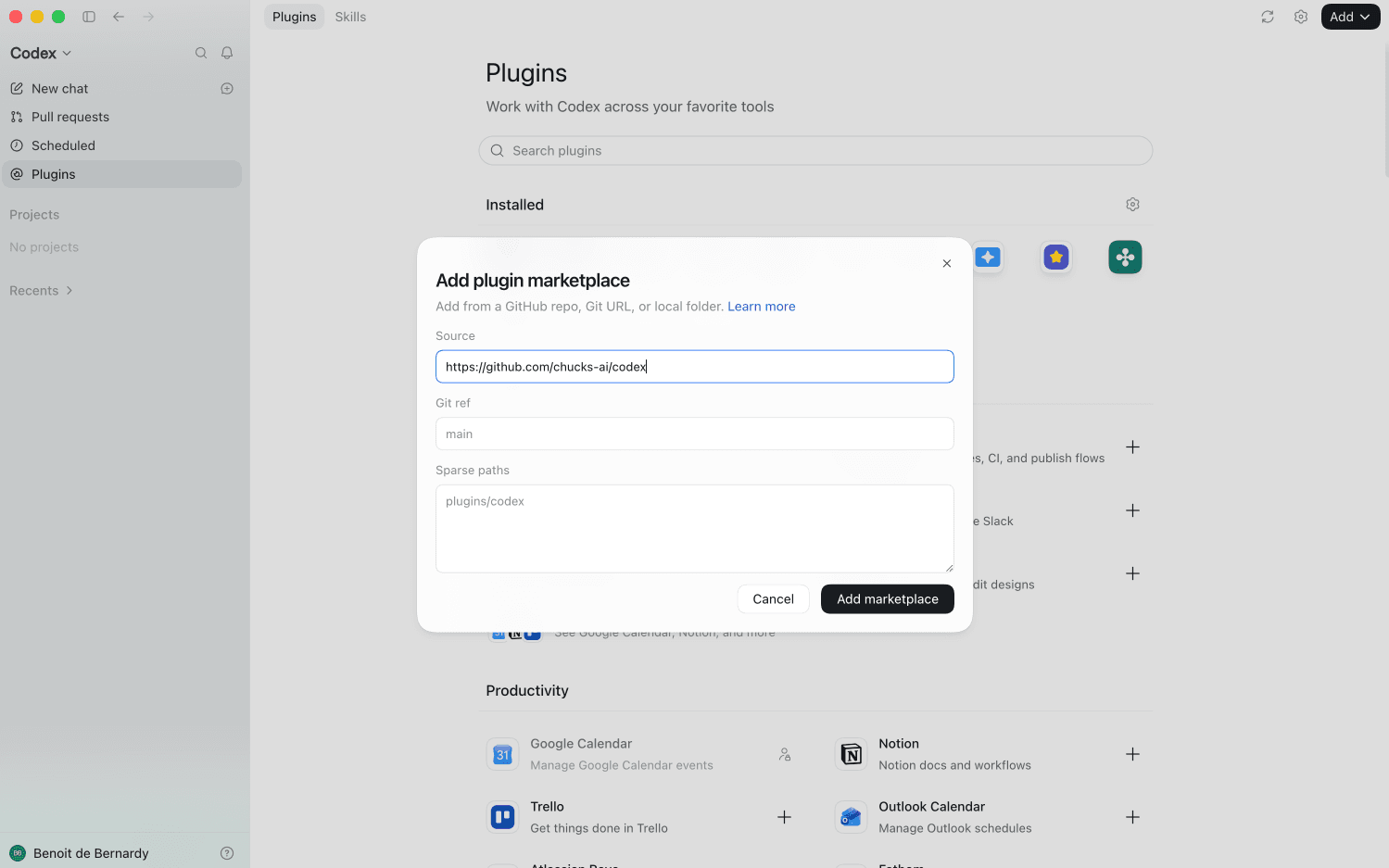
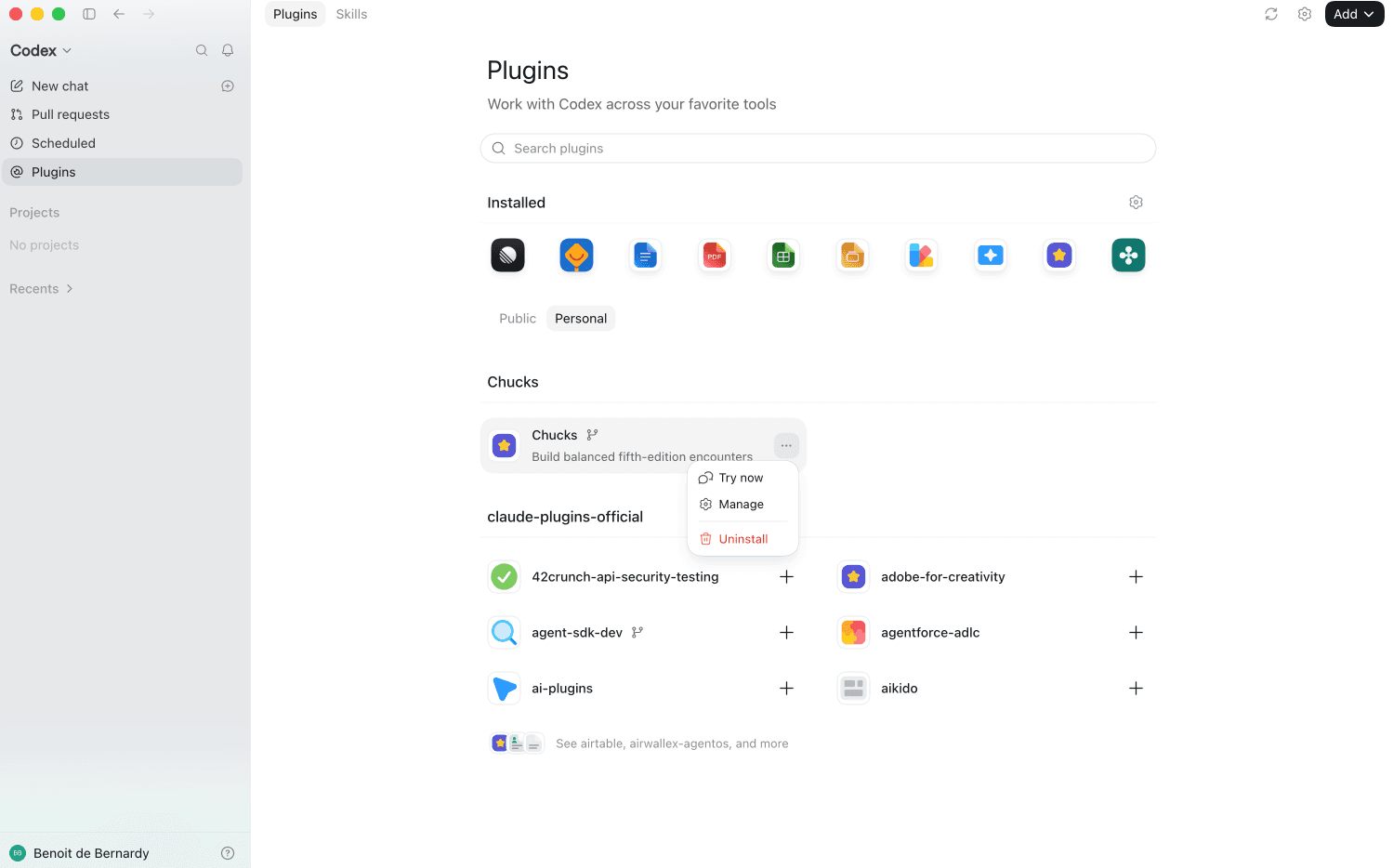
3. Verify the installation
Chucks now appears under the Personal tab.
4. Try it
Start a new chat and ask ChatGPT to check a rule, look up a monster, or build you an encounter.
Stuck? See your first encounter for a full worked example. Once everything works, try to check a rule or look up a monster.